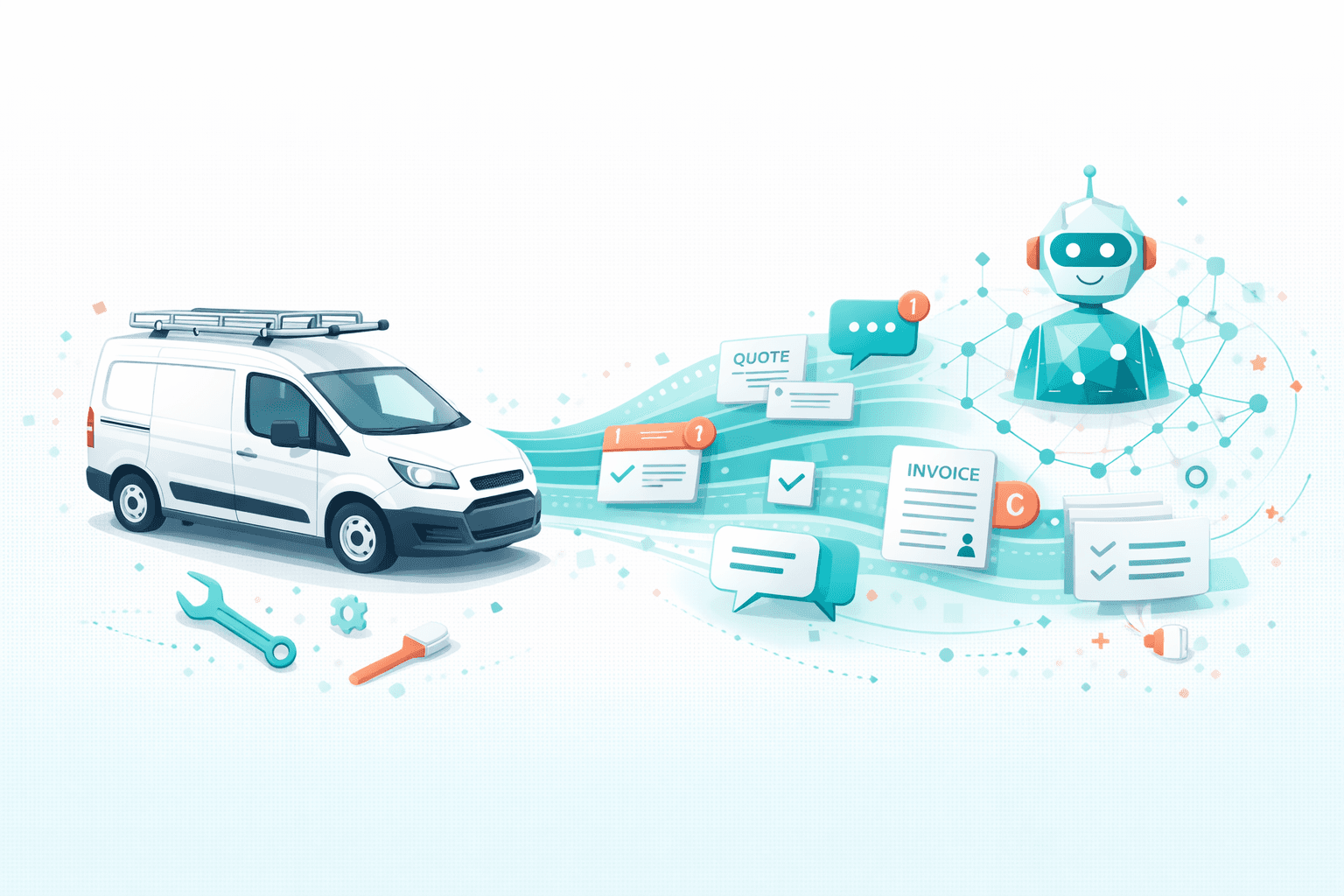
How UK Trades Businesses Are Using AI to Manage Quotes and Bookings
You're under a sink fixing a leak when your phone buzzes. Quote request. Then another buzz. Someone asking about availability next week. By the time you've finished the job, washed your hands, and checked your phone, there are six messages waiting.
You'll reply tonight. After dinner. After you've done the paperwork from today's jobs. Except tonight becomes tomorrow, and by then, two of those potential customers have already booked someone else.
Sound familiar? For plumbers, electricians, builders, and other UK tradespeople, this is daily reality. The work itself is demanding enough. Managing the business side—quote requests, booking enquiries, customer communication—often falls to evenings, weekends, or gets dropped entirely.
But a growing number of trades businesses are finding another way. They're using AI to handle the admin that eats into their time, capturing jobs they'd otherwise lose and reclaiming their evenings. Here's how it works.
The Trades Business Communication Problem
Running a trades business means being two things at once: a skilled tradesperson and a business administrator. The combination is brutal.
You Can't Answer When You're Working
The fundamental problem is simple: when you're doing the job, you can't answer the phone or respond to messages. And you're doing jobs most of the day.
Potential customers don't wait. Research shows that tradespeople who respond within an hour are significantly more likely to win the job than those who respond next-day. But responding within an hour is impossible when you're elbow-deep in a rewire or halfway through a bathroom installation.
Quote Requests Need Quick Turnaround
"How much to fit a new boiler?" "Can you give me a price for plastering the living room?" "What would you charge to build a garden wall?"
Quote requests flood in, each requiring attention. Some need site visits. Others you could ballpark immediately if you had a moment. Many sit in your inbox for days because finding time to respond properly is hard.
Meanwhile, the customer has sent the same message to three other tradespeople. The first one to respond professionally often wins.
Bookings Require Coordination
Even after winning a job, scheduling is complicated:
- Checking your diary against customer availability
- Coordinating multi-day jobs
- Managing the back-and-forth of finding a suitable time
- Rescheduling when emergencies arise
- Confirming appointments and sending reminders
Each booking might involve 5-10 messages. Multiply by dozens of jobs monthly, and you're drowning in scheduling admin.
Evening and Weekend Enquiries
Homeowners often research tradespeople in the evening—after work, when they're home and can see the problem that needs fixing. Weekend mornings are prime time for people finally addressing that dripping tap or dodgy socket.
These are motivated customers ready to book. But if you're protecting family time (as you should), you're not responding until Monday. By then, the urgency has faded or they've found someone else.
The Feast-or-Famine Cycle
Poor communication management creates business instability. When you're busy with jobs, enquiries pile up and potential work slips away. Then the current jobs finish, and you scramble for new ones. Better enquiry handling smooths this cycle, keeping your pipeline consistently full.
How AI Changes the Game for Trades Businesses
AI Workers handle the communication and coordination that trades businesses struggle to manage. Here's what that looks like in practice.

Instant Response to Every Enquiry
When someone messages asking about your services, the AI responds immediately—even if you're on a roof or under a floor.
The response isn't a generic "we'll get back to you." It's a helpful, conversational reply that:
- Acknowledges their specific need
- Confirms you offer that service
- Asks relevant questions (property type, job scope, timing)
- Provides preliminary information about availability
- Sets expectations for next steps
The customer feels heard and helped. You haven't lifted a finger. When you check your phone later, you see a qualified lead with all the relevant details collected, not just a missed opportunity.
Automated Quote Process Management
For straightforward jobs, AI can provide indicative pricing:
"A standard boiler installation typically ranges from £2,000-3,500 depending on the boiler model and any additional work needed. For an exact quote, [tradesperson] would need to do a quick site visit. I can book that in for you—when would suit?"
For jobs requiring site visits, the AI handles the scheduling:
- Customer asks about job
- AI qualifies the enquiry (type of work, location, urgency)
- AI offers available times for a quote visit
- Customer selects a slot
- AI confirms and adds to your calendar
- AI sends reminder before the appointment
You turn up, do the quote, and the AI can even follow up if you don't hear back from the customer.
Booking and Scheduling Coordination
Once a customer accepts a quote, booking the actual work involves its own coordination. AI handles this too:
- Offers available dates based on your calendar
- Manages multi-day job scheduling
- Confirms bookings with all relevant details
- Sends reminders before appointments
- Handles rescheduling requests
- Coordinates if you need to move things around
Your calendar stays organised. Customers get confirmations and reminders. No-shows decrease because people remember appointments they've been reminded about.
After-Hours Coverage
AI doesn't clock off at 5pm. Enquiries coming in at 8pm or 7am Saturday get the same immediate, helpful response.
This isn't about working more hours. It's about capturing opportunities that exist outside working hours without sacrificing your personal time.
For genuine emergencies—burst pipes, electrical faults, security issues—the AI can escalate appropriately, even calling you if you've set up emergency protocols.
Customer Communication Throughout Jobs
AI can keep customers informed throughout the job lifecycle:
- Appointment confirmations with what to expect
- Day-before reminders
- "On our way" notifications
- Post-job follow-up for feedback
- Invoice and payment reminders
- Annual service reminder for ongoing maintenance
Professional communication builds reputation. Reputation builds referrals. Referrals build business.
Real Examples from UK Trades
Dave, Plumber, Manchester
"I was losing jobs left and right because I couldn't answer calls on site. Now enquiries come in, the AI handles them, books viewings for quotes, and I just turn up. My conversion rate's gone through the roof because I'm getting to people first."
Before AI: 3-4 hours weekly on phone and messages. Lost an estimated 30% of enquiries to slow response.
After AI: 30 minutes daily reviewing and confirming. Captures 90%+ of enquiries. Books quote visits automatically.
Sarah, Electrician, Bristol
"The AI handles all my quote requests now. Gives people ballpark figures, books site visits for exact quotes, and follows up if they go quiet. I've got 40% more work this year without working more hours."
Before AI: Evenings spent catching up on messages. Weekends interrupted by customer queries.
After AI: Evenings free. Weekend enquiries handled automatically. More jobs, same working hours.
Mike, Builder, Leeds
"Coordinating a building project involves loads of communication. The AI manages customer updates, schedules site visits, chases decisions on options, sends progress updates. My customers love how informed they feel, and I spend my time building, not messaging."
Before AI: 2 hours daily on customer communication. Customers occasionally frustrated by update gaps.
After AI: AI handles routine updates. Customers get consistent communication. Mike focuses on the build.
Jen, Handywoman, London
"As a one-person business, I was doing everything—the work, the quotes, the bookings, the invoicing. The AI handles all the customer communication now. I've essentially got an office manager for £100 a month."
Before AI: Working 60+ hour weeks including admin. Struggling to grow beyond solo capacity.
After AI: Working 45-50 hours on actual jobs. Admin handled. Considering whether to take on an apprentice.
What AI Can and Can't Do for Trades Businesses
Let's be clear about capabilities and limitations.
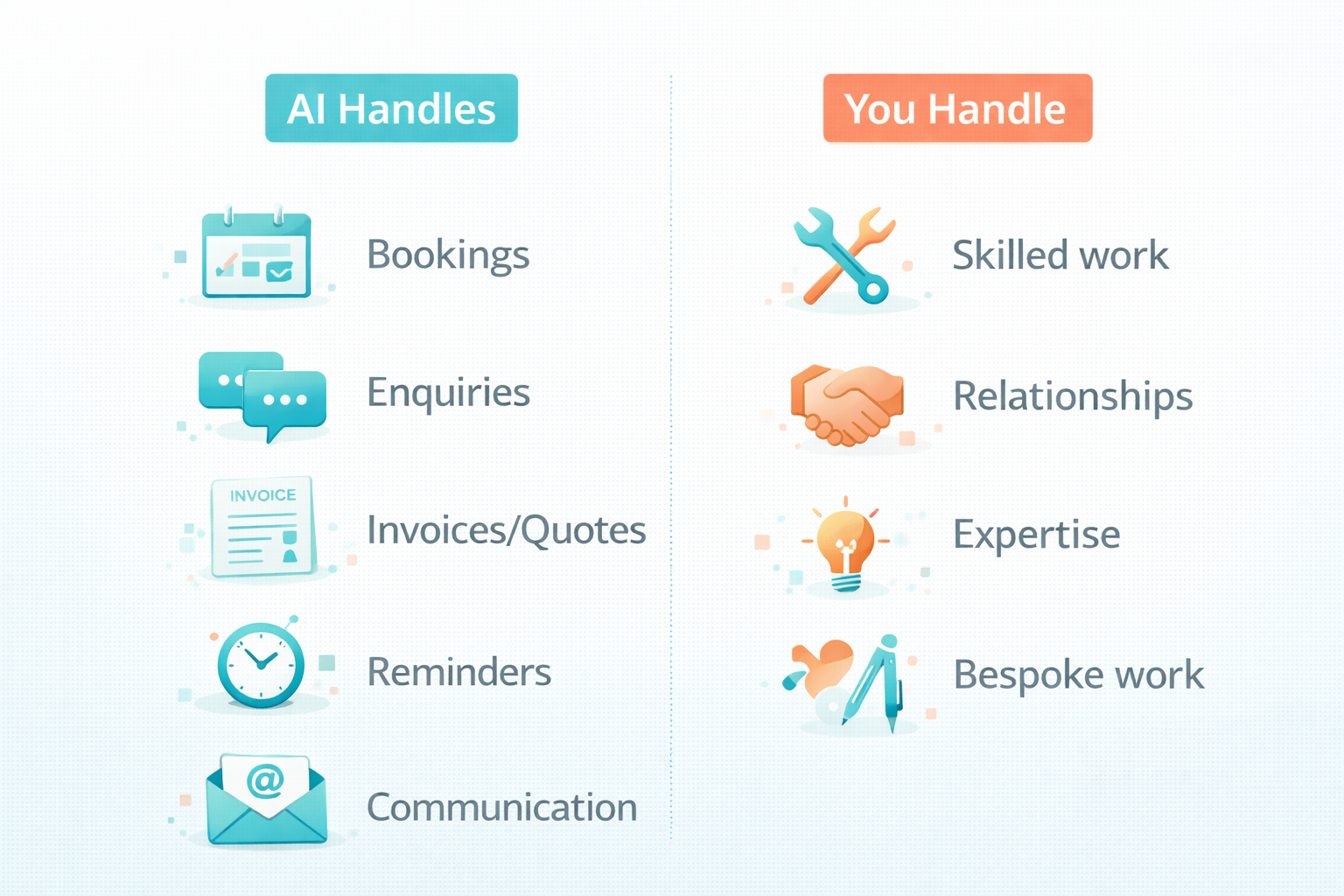
AI Handles Well
Standard enquiries:
- Service availability questions
- Preliminary pricing guidance
- Area coverage confirmation
- General process questions
Quote management:
- Collecting job details
- Scheduling quote visits
- Following up on sent quotes
- Basic pricing for standard jobs
Booking coordination:
- Finding mutually available times
- Sending confirmations
- Appointment reminders
- Rescheduling management
Customer updates:
- Job progress communication
- Arrival notifications
- Follow-up messages
- Review requests
Administrative communication:
- Invoice reminders
- Payment confirmations
- Annual service reminders
- General correspondence
AI Needs Human Input
Complex quotes: Site visits for accurate pricing. Technical assessments. Bespoke work pricing.
Technical advice: Specific recommendations requiring professional expertise. Building regulations guidance. Safety assessments.
Problem-solving: Unusual situations. Complaint handling. Scope changes mid-job.
Relationship building: Key customer relationships. Networking. Referral conversations.
The pattern: AI handles volume and routine, freeing you for expertise and relationships.
Getting Set Up: A Practical Guide
Here's how to implement AI in your trades business, even if you're not tech-savvy.
Step 1: List Your Common Enquiries
Write down the questions you get asked most often:
- What areas do you cover?
- How much does [common job] cost?
- When can you come round?
- Do you do [specific service]?
- Are you available this week?
- What's your call-out charge?
These become the foundation of what your AI can answer immediately.
Step 2: Define Your Standard Services and Pricing
Create a simple list:
| Service | Typical Price Range | Notes |
|---|---|---|
| Boiler service | £80-100 | Annual service |
| New boiler installation | £2,000-3,500 | Depends on model |
| Radiator addition | £300-450 | Per radiator |
| Emergency call-out | £80 + hourly rate | Within 2 hours |
The AI uses this to give customers ballpark figures while making clear that exact quotes may vary.
Step 3: Set Up Your Availability
Define when you're available for:
- Quote visits (e.g., "early mornings before jobs, or end of day")
- Starting new jobs (e.g., "typically book 2-3 weeks ahead")
- Emergency work (e.g., "same-day for existing customers, 24-hour otherwise")
The AI uses this to offer realistic availability without overbooking you.
Step 4: Connect Your Calendar
Link the AI to your work calendar (Google Calendar, Outlook, or whatever you use). This allows:
- Real-time availability checking
- Automatic booking without double-booking
- Reminders and confirmations synced to your schedule
Step 5: Test and Refine
Send test enquiries to see how the AI responds:
- "How much to fit a new bathroom?"
- "Are you available this Saturday?"
- "Do you cover Birmingham?"
Refine responses until they sound like you—professional, helpful, and in your voice.
Step 6: Go Live with Monitoring
Enable AI for real enquiries but review all conversations initially. This catches any issues early and helps you refine responses based on real situations.
Within a week or two, you'll trust the AI enough to let it run with less oversight.
Integration with Trades Business Tools
AI becomes more powerful when connected to tools you already use.
Calendars
Google Calendar, Outlook, or Apple Calendar—AI reads your availability and books appointments directly. No more double-entry.
Quote and Invoice Software
Tools like Tradify, ServiceM8, Powered Now, or Jobber can integrate with AI for:
- Pulling job details into your quoting process
- Triggering invoice reminders
- Tracking job status for customer updates
Payment Systems
Connect to payment tools so AI can:
- Send payment reminders
- Confirm when payments received
- Chase overdue invoices politely
Customer Databases
If you track customers in a CRM or spreadsheet, AI can:
- Recognise returning customers
- Reference previous work
- Personalise communication based on history
Even without fancy integrations, AI adds significant value through email and messaging alone. Integrations are nice-to-have, not must-have.
Costs and ROI for Trades Businesses
Typical Costs
AI Worker platforms for small businesses typically cost £75-150 monthly. Some charge per conversation, but flat-rate plans offer predictable budgeting.
Setup takes a few hours of your time initially—mainly providing information about your services, pricing, and availability.
ROI Calculation
Value of captured work:
If you're losing 5 jobs monthly to slow response times, and average job value is £400:
- Lost revenue: £2,000/month
- AI captures 80% of those: £1,600/month recovered
Time value:
If you spend 10 hours weekly on admin that AI handles, and your hourly rate is £40:
- Time saved: 10 hours × £40 = £400/week
- Monthly: £1,600 in time recovered
Total monthly benefit: £3,200 AI cost: £100-150 ROI: 2,000%+
Even at conservative estimates—fewer lost jobs, lower hourly rate—most trades businesses see ROI within the first month.
The Real ROI: Your Time Back
Numbers aside, what matters for many tradespeople is getting evenings and weekends back. The freedom to finish work and actually be finished. The ability to take a holiday without worrying about missed enquiries.
That quality of life improvement doesn't have a £ figure, but it's often the most valued outcome.
Common Concerns Addressed
"My customers want to talk to a real person"
Many do—for complex discussions, advice, or reassurance. AI doesn't prevent that. It handles the routine stuff: "Do you cover my area?" "What's your availability?" "Roughly how much for X?"
When customers need a real conversation, AI recognises that and facilitates it, gathering details so your conversation can be productive rather than administrative.
"I'm not technical—can I set this up?"
If you can use WhatsApp and email, you can use AI tools. Setup involves answering questions about your business, not coding or technical configuration. Most tradespeople get running within a day or two.
"What if it says something wrong?"
AI works from information you provide. If your pricing list is accurate, AI quotes accurately. If you define your coverage area correctly, AI confirms correctly.
Review conversations initially to catch any issues. The AI learns from refinements you make. Errors are rare and easily corrected.
"Will customers know it's AI?"
Quality AI communication sounds natural and professional. Many customers won't notice. Some might—and typically don't mind, as long as they get quick, helpful responses.
You can be transparent ("Our booking assistant can help you now, or I'll call you back after this job") or not. Either approach works.
"I work alone—isn't this overkill?"
Solo tradespeople often benefit most. You have no one to answer calls while you work. No office support for quotes and bookings. AI acts as your office manager, handling communication you can't.
The alternative is evenings spent on admin or opportunities lost to faster competitors. Neither is sustainable.
Getting Started This Week
Day 1: Audit Your Communication
- How many enquiries do you get weekly?
- How many do you respond to within an hour? Within a day?
- How much time do you spend on quotes and bookings admin?
- What questions do people ask repeatedly?
Day 2-3: Research Options
- Look at AI Worker platforms
- Check for trades-specific features or case studies
- Verify calendar integration with what you use
- Start a free trial if available
Day 4-5: Initial Setup
- Input your services and pricing
- Define your availability and coverage area
- Write answers to common questions
- Connect your calendar
Day 6-7: Test and Refine
- Send test enquiries through the system
- Check responses for accuracy and tone
- Adjust anything that doesn't sound right
- Go live with oversight
Week 2 Onwards: Build Confidence
- Review all conversations initially
- Reduce oversight as reliability is proven
- Expand AI capabilities gradually
- Measure impact on time and job capture
Within a month, most tradespeople wonder how they managed without it.
Frequently Asked Questions
How much does AI cost for a trades business?
Most AI Worker platforms cost £75-150 monthly for small businesses. Some offer pay-per-conversation models, but flat-rate subscriptions provide predictable costs. Setup is typically free, requiring only your time to configure. ROI usually exceeds costs within the first month through recovered time and captured work.
Can AI give accurate quotes for building work?
AI provides indicative pricing ranges for standard jobs based on information you supply. For work requiring site assessment—complex builds, bespoke projects, or jobs with variables—AI books quote visits rather than guessing. Customers appreciate getting a ballpark figure quickly, even if exact pricing needs a site visit.
Will AI work with my existing booking system?
Most AI tools integrate with common calendars (Google, Outlook, Apple) at minimum. Integration with trades-specific software like Tradify, ServiceM8, or Jobber varies by platform. Even without deep integration, AI manages communication via email and messaging while you handle bookings in your existing system.
What happens when AI can't answer a question?
AI recognises questions outside its knowledge and responds appropriately: "That's a great question for [your name] to answer directly. I'll make sure they get back to you today." It collects the question and any relevant details so you can provide an informed response when you're available.
Can AI handle emergency call-out requests?
Yes—you define what constitutes an emergency and how to handle it. Options include immediate notification to your phone, different response protocols for emergencies, or escalation procedures for out-of-hours urgent work. You stay in control of how urgency is managed.
How do customers contact the AI?
AI can monitor multiple channels: website chat, email, Facebook Messenger, Instagram DMs, WhatsApp Business, or SMS. You choose which channels to enable. Customers use whatever contact method they prefer; AI handles responses across all connected channels.
Do I need to be good with technology?
No. If you can use a smartphone and email, you can use AI tools. Setup involves answering questions about your business, not technical configuration. Support is typically available if you get stuck. Most tradespeople without tech backgrounds get running successfully within a few days.
What if a customer prefers speaking to me directly?
AI facilitates that: "I'd be happy to have [your name] call you back. When's a good time today?" It gathers the customer's preference and books a callback into your schedule. AI handles routine queries so your calls can focus on complex discussions and relationship building.
Can AI follow up on quotes I've sent?
Yes—AI can send follow-up messages after you've issued quotes: "Just checking in on the quote [your name] sent last week for the bathroom refit. Would you like to go ahead, or do you have any questions?" This persistence often converts quotes that would otherwise go cold.
How does AI handle bookings if my availability changes?
AI syncs with your calendar in real-time. If you block time for a new job, AI immediately stops offering that slot. If a job cancels, availability opens up automatically. For manual schedule changes, you update your calendar; AI adjusts accordingly.

TheyWork Team
TheyWork gives small UK businesses an AI-powered worker that finds leads, writes content, responds to reviews, and handles admin — so you can focus on growing.
Ready to try an AI Worker?
Get your own AI worker that finds leads, writes content, and handles admin. Start free for 7 days.
Get startedMore from the blog
AI for Estate Agents: How UK Agencies Can Qualify Leads and Book More Viewings Without Hiring More Admin
A practical guide for UK estate agents on using AI to respond faster, qualify leads, and book more viewings while reducing admin workload and missed opportunities.

Is AI Safe for My Small Business? Data Security and GDPR Explained
A straightforward guide to AI safety for UK small businesses. Understand data security, GDPR compliance, and how to use AI tools confidently without putting your business at risk.