AI Workers for Accountants and Bookkeepers: Automating Client Communication
Every accountant knows the feeling. It's January, your inbox is overflowing, and you're spending more time chasing clients for documents than actually doing the accounting work you trained for.
"Just a reminder about those bank statements..." "Following up on my previous email regarding your VAT receipts..." "We still need your P60 to complete your return..."
You've sent these messages hundreds of times. They're necessary, but they consume hours that could go toward billable work or growing your practice.
This guide explores how AI Workers are transforming client communication for UK accountants and bookkeepers—handling the repetitive messaging that devours your time while maintaining the professional relationships your practice depends on.
The Communication Challenge in Accounting Practices
Accounting and bookkeeping practices face a unique communication burden. The work itself requires concentration and precision. But the business demands constant client interaction—much of it repetitive and administrative.
The Volume Problem
A typical small accounting practice with 100-200 clients handles thousands of client communications annually:
- Document requests and follow-ups
- Deadline reminders and confirmations
- Status updates on work in progress
- Responses to routine queries
- Onboarding communications for new clients
- Year-end and tax season coordination
Each individual message takes only minutes. But multiplied across your client base, the cumulative time is staggering. Many practitioners spend 15-25 hours weekly on client communication—time not spent on fee-earning work.
The Timing Problem
Client communication doesn't fit neatly into your workflow. Emails arrive constantly, interrupting focused work. Document chasing requires multiple follow-ups across days or weeks. Tax season creates communication spikes that overwhelm normal capacity.
The irregular, interruptive nature of client messaging makes it particularly damaging to productivity. Context-switching between detailed accounting work and client emails costs far more than the email time alone.
The Consistency Problem
When communication depends on finding time between other tasks, quality suffers:
- Follow-ups happen late or not at all
- Response times vary unpredictably
- Some clients get more attention than others
- Tone and professionalism fluctuate with energy levels
Inconsistent communication affects client relationships and, ultimately, retention.
The Growth Problem
Here's the painful truth: the communication burden scales with client growth. Adding 20 clients doesn't just add 20 sets of accounts—it adds hundreds of additional communications annually.
For many practices, communication overhead becomes the practical limit on growth. You can't take on more clients because you can't handle more emails.
What AI Workers Can Handle for Accountants
AI Workers excel at exactly the communication patterns that burden accounting practices. Here's what they can realistically automate.
Document Requests and Chasing
The most obvious application—and often the highest-value.
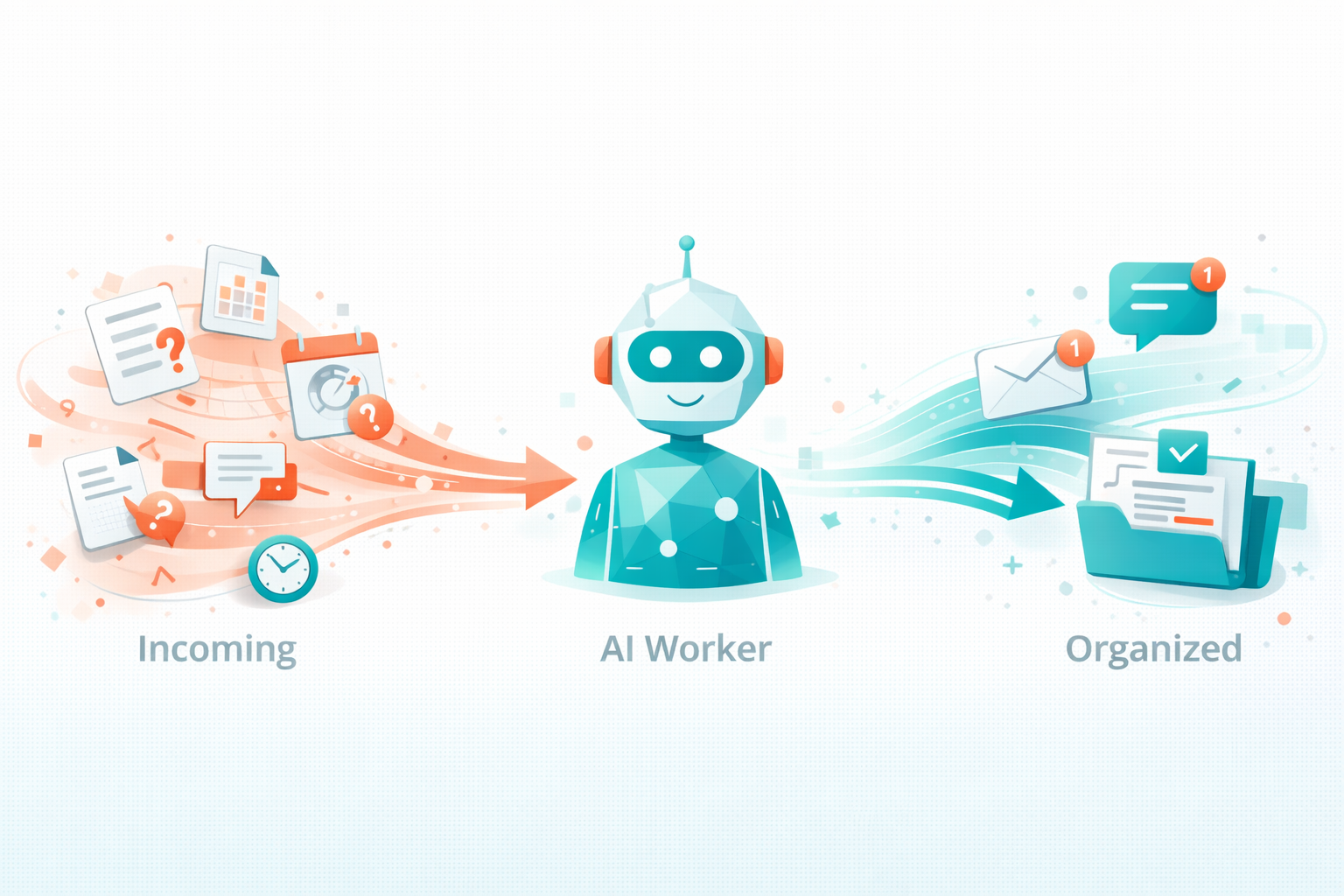
An AI Worker can:
- Send initial document requests with clear lists of what's needed
- Track what's been received versus what's outstanding
- Send follow-up reminders at appropriate intervals
- Escalate appropriately when deadlines approach
- Acknowledge receipt when documents arrive
- Request clarification on unclear or incomplete submissions
The AI maintains persistence humans can't. It never forgets to follow up. It sends the fifth reminder with the same professional tone as the first. It tracks dozens of outstanding requests simultaneously without anything slipping through.
Example workflow:
- You mark "Year-end documents needed" for a client
- AI sends personalised request listing specific documents
- Client submits some documents via your portal
- AI acknowledges receipt, updates outstanding list
- Three days later, AI sends friendly reminder about remaining items
- Process continues until complete, with escalation to you if deadlines loom
Deadline Reminders and Coordination
Tax deadlines, VAT quarters, Companies House filings, payroll submissions—accounting runs on deadlines. AI Workers manage the communication around them.
Automated deadline communication includes:
- Advance reminders (30 days, 14 days, 7 days out)
- Requests for information needed to meet deadlines
- Confirmations when filings are submitted
- Alerts if client action is still required
You set up the logic once. The AI handles execution across your entire client base, adjusting timing and content based on each client's specific deadlines and status.
Routine Query Responses
Clients ask the same questions repeatedly:
- "When is my VAT return due?"
- "What's the deadline for self-assessment?"
- "Do I need to submit anything this month?"
- "What are your fees for [service]?"
- "How do I access the client portal?"
AI Workers answer these instantly, accurately, and consistently. The client gets immediate help. You're not interrupted for information you've provided many times before.
For queries requiring your attention—complex questions, advice requests, sensitive matters—the AI recognises these and routes them appropriately, often gathering relevant context first.
Onboarding Communication
New client onboarding involves predictable communication sequences:
- Welcome messages and introduction to your practice
- Engagement letter and terms
- Information gathering questionnaires
- Portal access and system setup
- Document collection for initial work
- Scheduling of initial meetings
AI Workers manage this sequence automatically, ensuring consistent onboarding experience while reducing your per-client setup time.
Status Updates and Progress Communication
Clients want to know what's happening with their work. AI Workers provide updates without requiring your manual communication:
- "We've received your documents and work has begun"
- "Your accounts are with [team member] for review"
- "Your return is ready for final review before submission"
- "Your return has been submitted—here's the confirmation"
These updates improve client experience dramatically while requiring zero effort from you once configured.
Real Impact: Time and Revenue
Let's quantify what automation means for a typical practice.
Time Savings Calculation
Before AI automation:
- Document chasing: 6 hours/week
- Deadline reminders: 2 hours/week
- Routine query responses: 4 hours/week
- Status updates: 2 hours/week
- Onboarding admin: 2 hours/week
- Total: 16 hours/week on routine communication
After AI automation (handling 80% automatically):
- Your time: 3-4 hours/week (oversight, complex matters, relationship building)
- Time saved: 12-13 hours/week
Revenue Impact
Those 12 hours weekly convert to significant revenue potential.
If your effective hourly rate is £80:
- 12 hours × £80 = £960 weekly
- £960 × 48 working weeks = £46,080 annual revenue capacity
Even at more conservative assumptions—not all time converts to billable work—the revenue impact typically exceeds £20,000-30,000 annually.
Against AI Worker costs of £100-200 monthly (£1,200-2,400 annually), the ROI is substantial.
Practice Growth Enablement
Beyond direct revenue, reduced communication burden enables growth:
- Capacity to take on additional clients
- Time for business development activities
- Improved service quality increasing referrals
- Reduced stress improving decision-making
The accountants adopting AI Workers often report that growth constraints they'd accepted as permanent suddenly become solvable.
Implementation for Accounting Practices
Here's how to implement AI Workers effectively in an accounting or bookkeeping context.
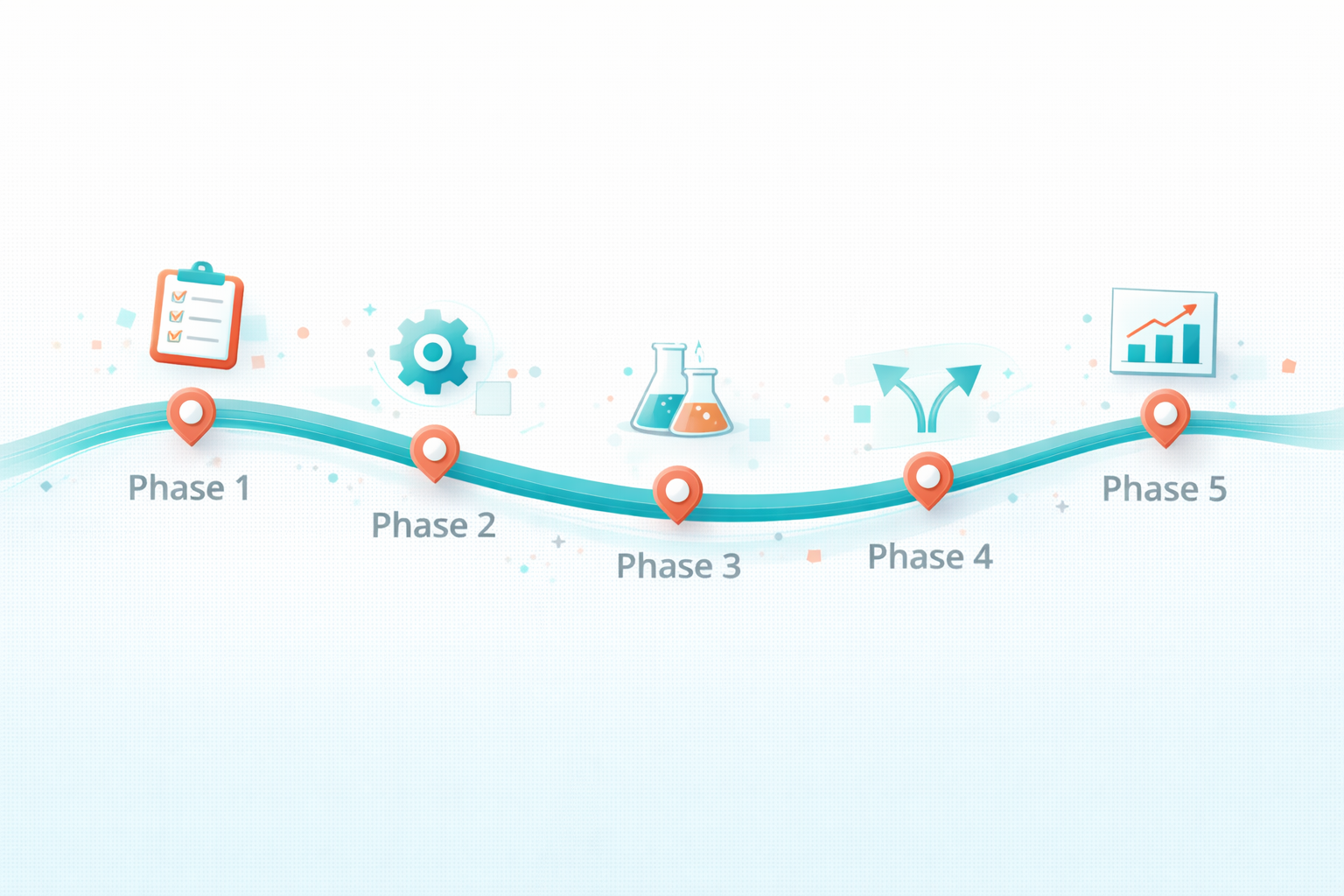
Phase 1: Document and Understand Current State
Before automating, document your communication patterns:
Audit your communications:
- What messages do you send repeatedly?
- What's the typical sequence for document collection?
- How do you handle deadline reminders currently?
- What are your most common client queries?
Identify automation candidates:
- High volume, low complexity messages
- Predictable sequences (onboarding, year-end)
- Routine queries with standard answers
- Follow-up patterns (document chasing)
Note what stays human:
- Advisory conversations
- Sensitive matters (penalties, disputes, bad news)
- Complex technical questions
- Relationship-building communication
Phase 2: Configure Your AI Worker
Setup involves providing information and defining processes.
Business information:
- Your services and fees
- Team members and their roles
- Portal access and systems
- Working hours and contact details
Process definitions:
- Document request workflows by service type
- Deadline calendars and reminder timing
- Standard responses for common queries
- Escalation criteria for human attention
Tone and style:
- Professional standards for your practice
- Personalisation approach (formal vs friendly)
- Brand voice and communication style
Integration setup:
- Email monitoring and response
- Connection to practice management software
- Calendar integration for deadline tracking
- Client portal integration if applicable
Phase 3: Start with Low-Risk Communication
Begin with communication types where AI mistakes have minimal consequences:
Good starting points:
- Acknowledgment emails when documents received
- General deadline reminders (not urgent finals)
- Responses to straightforward queries
- Welcome emails for new clients
Review all outputs initially. Watch for tone issues, accuracy problems, or situations the AI handles poorly. Refine before expanding scope.
Phase 4: Expand to Higher-Value Automation
Once confident with basic communication:
Expand to document chasing:
- Configure request templates for each service type
- Set up follow-up timing and escalation
- Define when to alert you about unresponsive clients
Expand to deadline management:
- Input client-specific deadline calendars
- Configure reminder sequences by deadline type
- Set up submission confirmations
Expand to query handling:
- Build knowledge base from historical questions
- Train on your specific service terms and processes
- Define routing for questions requiring human attention
Phase 5: Optimise and Monitor
Ongoing management ensures sustained value:
Regular review:
- Weekly conversation review initially
- Monthly performance assessment once stable
- Refinement based on client feedback
Metrics to track:
- Response time to client enquiries
- Document collection completion rates
- Client satisfaction with communication
- Your time spent on communication
Maintaining Professional Standards
Accounting practices operate in a regulated environment with professional standards. AI implementation must respect these requirements.
Client Confidentiality
AI Workers must handle client information appropriately:
- Use providers with appropriate data security certifications
- Ensure GDPR-compliant data processing agreements
- Verify data residency meets your requirements
- Review what information the AI can access and store
Professional Body Guidelines
ICAEW, ACCA, AAT, and other bodies haven't prohibited AI in client communication, but professional standards still apply:
- Communication must be accurate and not misleading
- You remain responsible for all client communication
- AI should not provide advice beyond its capabilities
- Quality control remains your obligation
Treat AI as a team member you supervise, not an independent system you set and forget.
Appropriate Disclosure
Consider whether to inform clients about AI involvement. Options include:
- Transparent approach: "Our practice uses AI assistance for routine communications, with human oversight for all client matters."
- Selective disclosure: Mention when asked, but don't proactively highlight
- Seamless integration: AI operates as part of your team without specific disclosure
There's no current requirement to disclose AI use in general client communication, but transparency often builds trust.
Integration with Practice Management Systems
AI Workers become more powerful when connected to your existing systems.
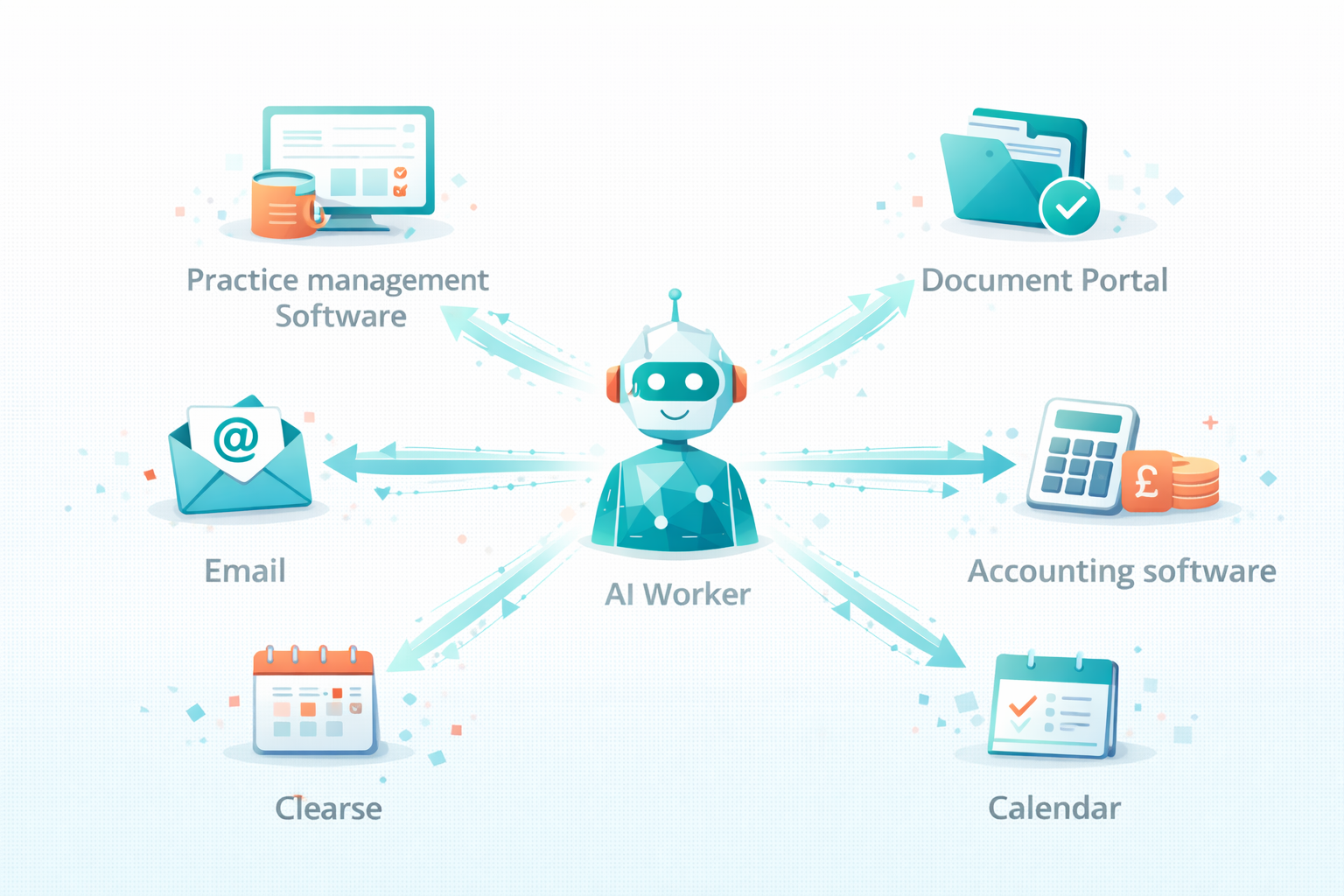
Practice Management Software
Integration with systems like Xero Practice Manager, Karbon, Senta, or AccountancyManager enables:
- Automatic triggers when jobs reach certain stages
- Document checklists pulled from job templates
- Status updates reflecting actual work progress
- Client data for personalised communication
Document Portals
Connection to portals like Dext, Receipt Bank, or your own document portal enables:
- Automatic acknowledgment when documents uploaded
- Real-time tracking of outstanding items
- Reminders based on actual portal status
Accounting Software
Limited integration with Xero, QuickBooks, or Sage may enable:
- Access to client financial data for context
- Status of reconciliation or completion
- Identification of missing transactions or issues
Email and Calendar
Fundamental integrations include:
- Email monitoring and response capability
- Calendar access for deadline tracking
- Scheduling integration for booking meetings
Communication Templates That Work
Effective AI communication requires good templates as a foundation. Here are approaches that work for accounting practices.
Document Requests
Effective approach:
- Clear list of specific documents needed
- Deadline for submission
- Simple instructions for how to submit
- Offer of help if anything is unclear
Example tone: "We're ready to start work on your year-end accounts. To complete this, we need: [specific list]. Please upload these to your client portal by [date]. If you have any questions about what's needed, just reply to this email."
Follow-Up Reminders
Effective approach:
- Acknowledge previous request
- Specify what's still outstanding
- Note deadline implications if relevant
- Maintain friendly but clear tone
Progression:
- Reminder 1 (day 3): Friendly check-in
- Reminder 2 (day 7): Clear restatement of needs
- Reminder 3 (day 14): Emphasis on deadline
- Reminder 4 (approaching deadline): Escalation warning
Deadline Reminders
Effective approach:
- Clear statement of deadline and what it's for
- What client action is needed, if any
- Reassurance if you're handling submission
- Contact information for questions
Status Updates
Effective approach:
- Clear statement of current status
- What happens next
- Any client action required
- Timeline for next update or completion
Common Concerns for Accountants
"My clients expect personal service"
Personal service and AI automation aren't mutually exclusive. AI handles routine communication, freeing you for genuinely personal interactions—advisory conversations, relationship building, complex problem-solving.
Many accountants find client relationships improve after automation because they have more time for meaningful engagement rather than administrative messaging.
"What about complex technical queries?"
AI handles routine queries—deadline questions, portal access, standard process questions. Complex technical matters route to you with relevant context gathered.
You control what the AI attempts to answer versus what it escalates. Configure conservatively initially, expanding as confidence builds.
"I need to maintain my professional voice"
AI Workers communicate in the style you define. Provide examples of your communication style. Review outputs to ensure consistency. Refine until the AI's communication is indistinguishable from your own.
"My practice management system is complex"
Integration depth varies. Even without full integration, AI Workers add value through email-based communication. Deeper integration can follow as you prove value with simpler implementation.
"Document chasing requires human judgment"
Some aspects do—knowing which clients need gentle approaches versus firm reminders, recognising when personal circumstances affect responsiveness. AI can handle the mechanics while you provide strategic direction and handle exceptional situations.
Case Example: Tax Season Transformation
Consider how AI transforms the busiest period for many accountants.
Before AI
January-February becomes a chaos period:
- Hundreds of document requests to send
- Thousands of follow-ups to manage
- Constant interruptions from client queries
- Status update requests adding to the load
- Evenings and weekends consumed by communication
- Actual tax work squeezed into remaining time
After AI
The workload remains, but the communication burden shifts:
- Document requests: AI sends personalised requests across entire client base in minutes
- Follow-ups: AI tracks outstanding items and chases automatically with appropriate persistence
- Client queries: AI handles routine questions instantly; you address complex matters only
- Status updates: AI provides automatic updates as work progresses
- Your focus: Actual tax work, advisory conversations, complex problem-solving
The work hours may not decrease—it's still tax season—but the hours shift from administrative messaging to professional work that justifies your expertise and fees.
Getting Started
If you're an accountant or bookkeeper considering AI Workers for client communication, here's your action plan.
This Week
Audit your communication:
- Track time spent on client messaging
- Categorise by type (chasing, queries, updates, etc.)
- Identify your highest-volume repetitive communications
This Month
Research and select:
- Evaluate AI Worker platforms
- Verify compatibility with your systems
- Assess data security and compliance
- Start a trial with limited scope
Next Quarter
Implement and expand:
- Configure for your practice specifics
- Begin with low-risk communication types
- Review and refine based on results
- Gradually expand scope and automation depth
Ongoing
Optimise and maintain:
- Regular performance review
- Continuous refinement of responses
- Expansion to additional communication types
- Measurement of time savings and client satisfaction
The accountants who've made this transition consistently report the same realisation: they'd accepted communication overhead as inherent to practice. They didn't realise how much capacity they were leaving on the table until they reclaimed it.
Frequently Asked Questions
Is AI suitable for client communication in a regulated profession?
Yes, with appropriate implementation. AI Workers handle routine communication while you maintain oversight and responsibility. The AI sends messages on your behalf—similar to a team member working from templates you've approved. Professional standards regarding accuracy and responsibility still apply, and you remain accountable for all client communication.
How do clients react to AI-automated communication?
Most clients don't notice or don't mind—they receive prompt, professional communication, which is what they want. Automated reminders and status updates often improve satisfaction compared to sporadic manual communication. For sensitive matters, AI routes to you for personal handling.
Can AI handle document chasing effectively?
This is one of the strongest use cases. AI excels at tracking what's outstanding, sending follow-ups at appropriate intervals, and maintaining persistence without frustration. Document collection rates typically improve because AI never forgets to follow up and maintains consistent, professional pressure.
What about clients who prefer phone communication?
AI primarily handles written communication—email, portal messages, chat. Phone-preferring clients can still call you directly. However, many practitioners find that prompt, helpful written communication satisfies clients who previously called because emails went unanswered.
How does AI integration work with practice management software?
Integration depth varies by platform. Some AI Workers connect directly to systems like Xero Practice Manager, Karbon, or AccountancyManager, enabling automatic triggers and data access. Others work primarily through email with manual oversight. Start with available integrations and expand as needs clarify.
Will AI understand accounting-specific terminology?
AI Workers learn from the information you provide, including industry terminology. Setup involves teaching the AI about your services, processes, and common queries. Once configured, it understands and uses appropriate accounting terminology naturally.
How much time does AI oversight require?
Initially, plan for 30-60 minutes daily reviewing AI communications. As confidence builds and refinements settle, this typically drops to 15-30 minutes daily. The net time saving—considering hours of communication the AI handles—remains substantial.
What happens during tax season volume spikes?
AI Workers scale instantly. Whether you're sending 50 document requests or 500, the AI handles the volume without additional time from you. This scalability makes AI particularly valuable during peak periods when manual communication becomes unsustainable.
Can AI maintain different communication styles for different clients?
Yes. Client-specific preferences can be configured—formal versus friendly, detailed versus brief, frequency of updates. The AI adapts communication style while maintaining consistent professionalism.
What's the typical ROI for accounting practices?
Most practices see ROI within 1-2 months. Time savings of 10-15 hours weekly, converted to billable work at typical accounting rates, far exceed AI Worker costs of £100-200 monthly. Beyond direct ROI, many practices report growth enablement as communication capacity constraints disappear.

TheyWork Team
TheyWork gives small UK businesses an AI-powered worker that finds leads, writes content, responds to reviews, and handles admin — so you can focus on growing.
Ready to try an AI Worker?
Get your own AI worker that finds leads, writes content, and handles admin. Start free for 7 days.
Get startedMore from the blog
AI for Estate Agents: How UK Agencies Can Qualify Leads and Book More Viewings Without Hiring More Admin
A practical guide for UK estate agents on using AI to respond faster, qualify leads, and book more viewings while reducing admin workload and missed opportunities.
Is AI Safe for My Small Business? Data Security and GDPR Explained
A straightforward guide to AI safety for UK small businesses. Understand data security, GDPR compliance, and how to use AI tools confidently without putting your business at risk.